
SNOWLABS.
READY TO PLAY.
Activate, install and launch your SnowLabs products from one desktop app.
Official SnowLabs download. Find your purchased keys in your library or SnowBot DMs.
 SNOWLABS · OSIRIS
YOUR KEY.
YOUR NEXT SESSION.
Before you begin, copy your product key from your library or your SnowBot DM. Keep it private. Check the Osiris system requirements before you install.
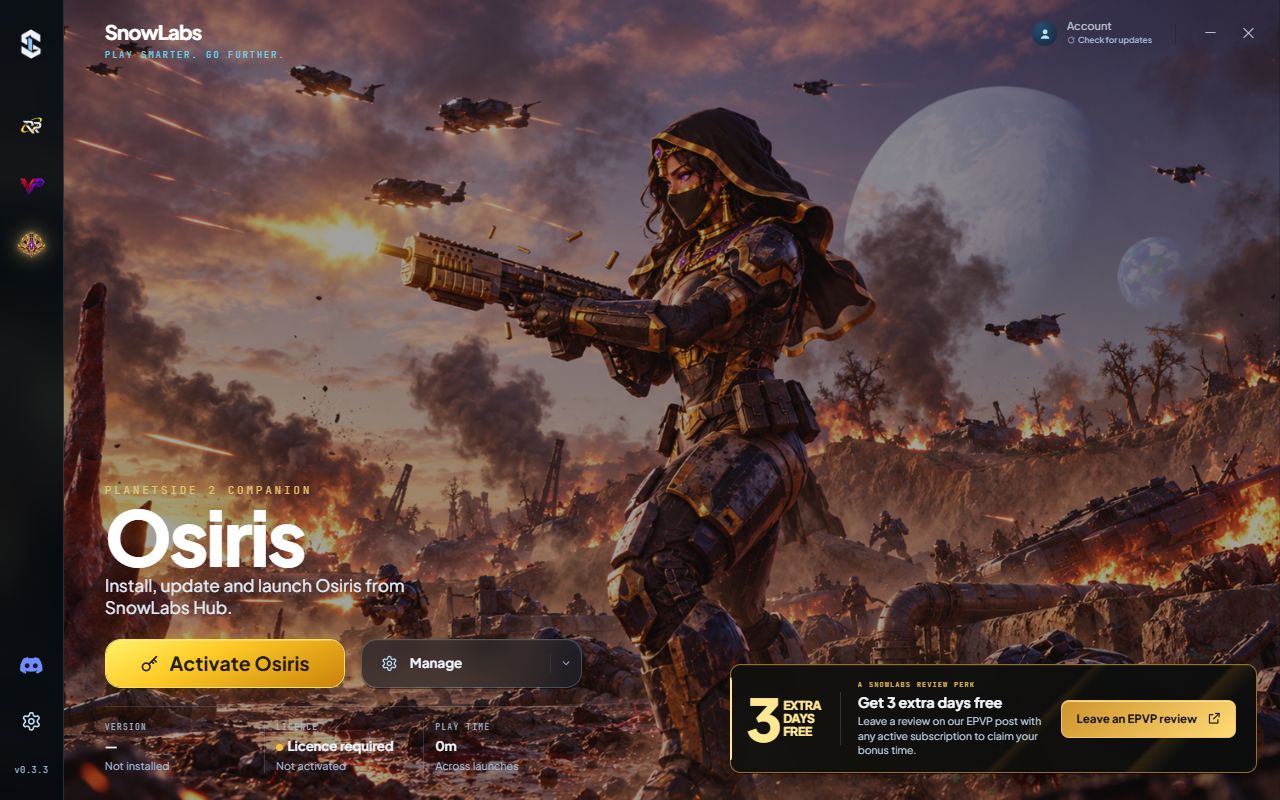
Choose Osiris
ENLARGE ↗Open SnowLabs and choose Osiris in the left sidebar. Select Activate Osiris to begin.
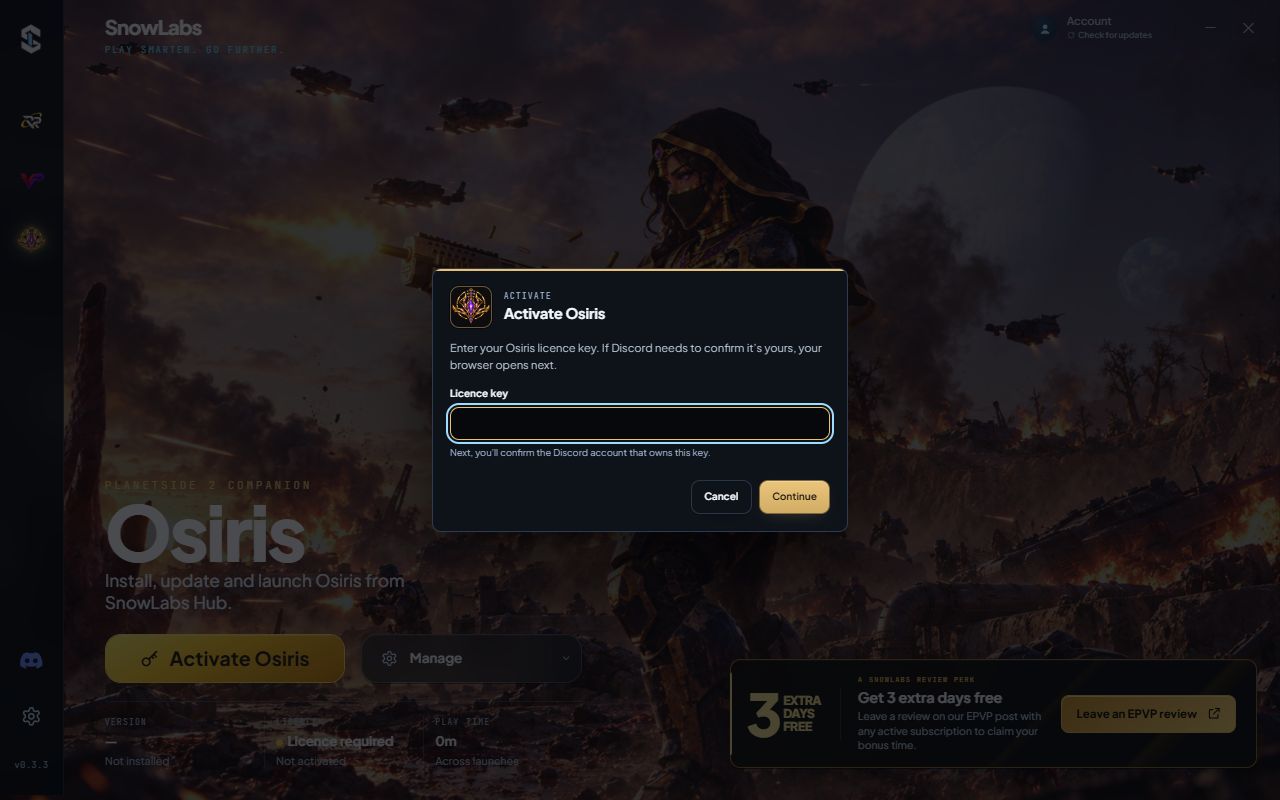
Enter your key
ENLARGE ↗Paste the Osiris key you copied from your library or SnowBot DM into Licence key, then select Continue.
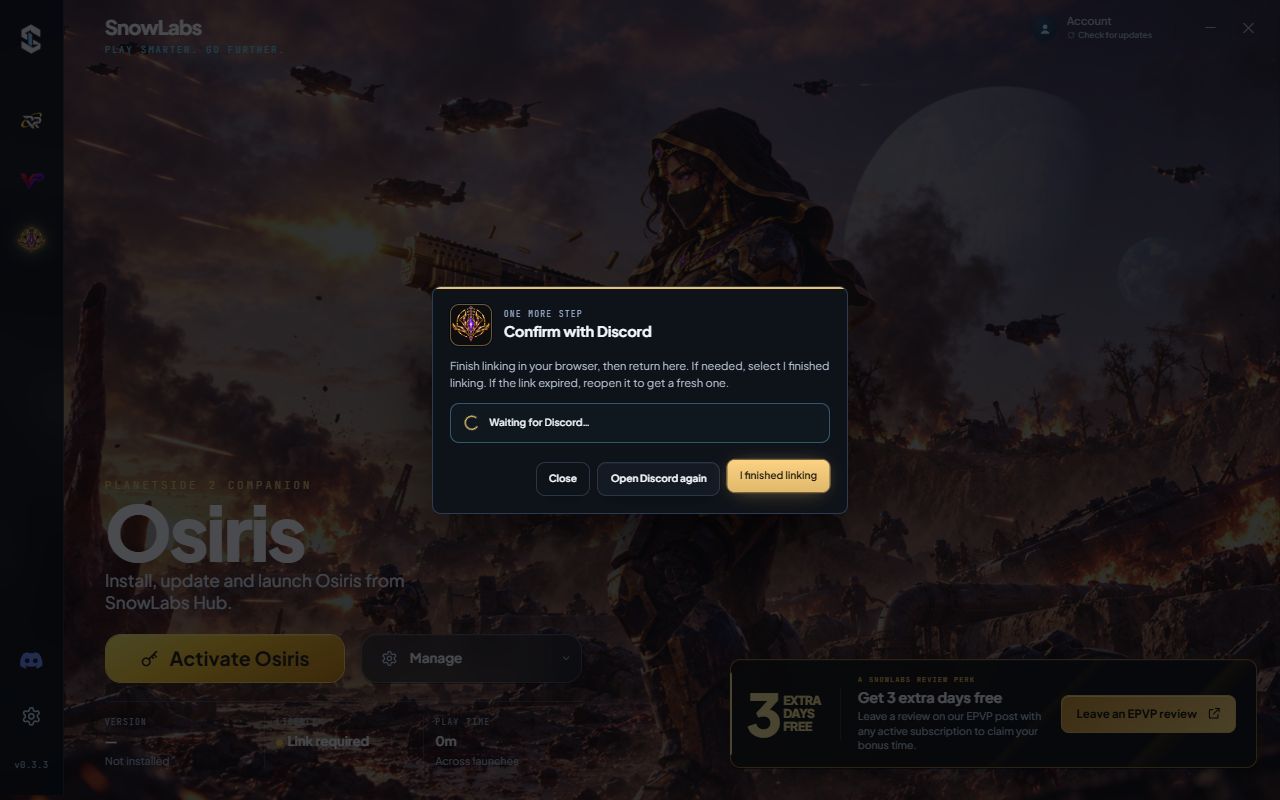
Confirm with Discord
ENLARGE ↗Complete the Discord confirmation in your browser, then return to SnowLabs. Select I finished linking if needed. Use Open Discord again if the link expired.
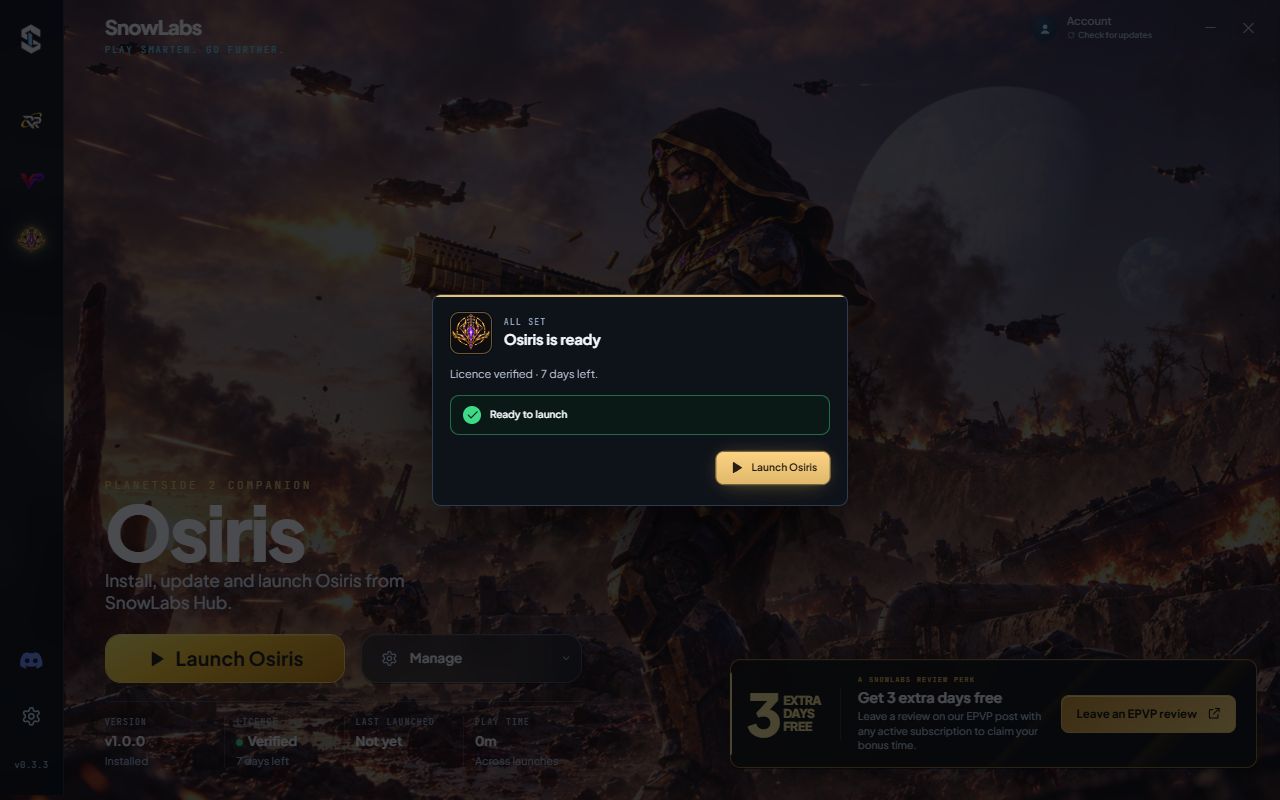
Download. Launch. Play.
ENLARGE ↗Let SnowLabs download, verify and install Osiris. If it prompts you to download first, choose Download Osiris. Once it says Osiris is ready, select Launch Osiris.
Screenshots use the real SnowLabs interface with example licence states. Your remaining time and installed version may differ. For RP-97 or ValoPlay, select that product and follow its prompts with the matching key.
NEED A HAND?
Keep your order reference handy. We’ll help you find the next step.